Revit families,
from a prompt.

Mainspring generates parametric Revit families from a text description or reference image — inside the BIM workflow your studio already uses.

In active development · private beta opening soon

Join the waitlist

We'll email you when access opens. No spam, easy unsubscribe.

How it works

Three steps. A family you can ship.

Describe what you need. Review parameters. Import into your project. No bespoke modelling, no waiting on the content team.

Step 01

Brief it

Give Mainspring images, documents, dimensioned sketches, or a detailed description. The model reconciles whatever you provide — a written brief, a manufacturer cut sheet, a site photograph, or all three at once.

Step 02

Generate

The model returns a Revit-ready family — geometry, types, and editable parameters. Typical generation time is 2–5 minutes. Most outputs land at LOD 300; highly organic forms or unusual geometry may need a re-prompt.

Step 03

Download & edit

Download the .rfa and open it in Revit. Edit parameters the same way you'd edit any family — no Mainspring add-on, no plugin, nothing to install. Always review the output in Revit before using it on a project — Mainspring speeds up modelling, but the file is yours to verify.

What works today

Today.

Real Revit families

Not a mesh import — every output is a real Revit family with named, typed parameters and the right category. Parameters are exposed for schedules and ready to keep editing. Driving geometry from those parameters end-to-end is on the roadmap.

Words, images, or sketches

Describe a family in words, drop in a product sheet, a site photograph, a hand-drawn sketch — or all of the above. The model reconciles whatever you provide.

No add-in, no sync

Mainspring runs in your browser. Outputs are .rfa files you download and load like any other family — no plugin to install, no Autodesk sign-in, nothing to keep in sync.

Your generation history

Everything you generate is saved to your account, ready to pick up, refine, or download again.

Roadmap

What's coming.

Coming next

Studio template

Define how families should be named and which parameters the model should fill — once, per studio. Every generation lines up with your standards instead of needing rework after the fact.

Coming next

Parametric families

Families that flex to provided types — one door family that takes a schedule of widths and heights, one table family that produces every size on the project, instead of a separate output per variant.

Later

Nested families, doors & windows

Hosted families with sub-components and host-aware geometry — doors and windows that cut their host wall, casework with nested hardware, and other multi-part assemblies.

Later

Bulk processing

Generate or update many families in a single run — useful for building out a project library or migrating an existing one.

Later

API access

Wire Mainspring into your own AI workflows or as-built pipelines.

Product preview

The workspace.

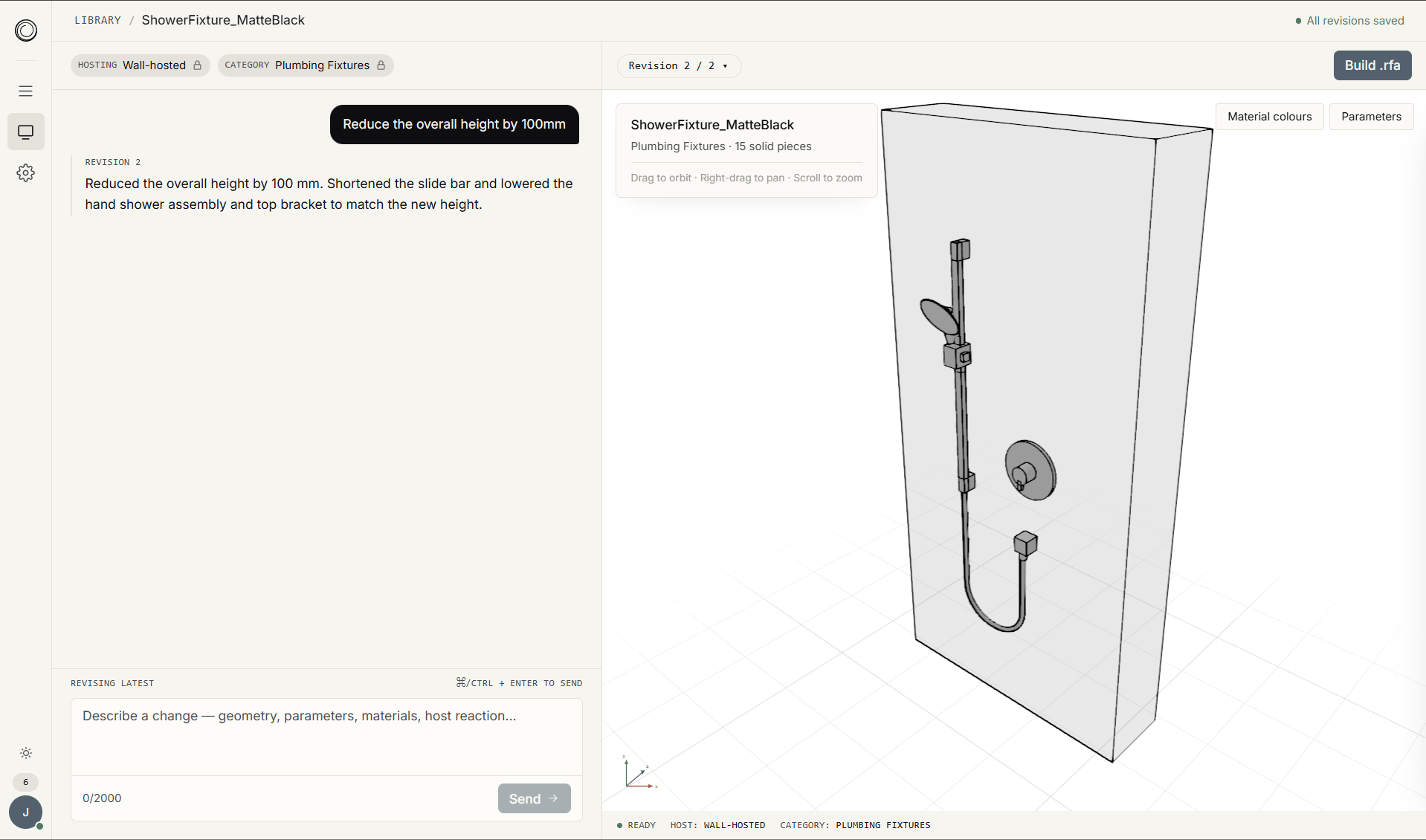
A clean workspace built around one idea: describe a family, review what was generated, refine it, ship it.

automatadigital.studio/mainspring
Mainspring app — chat-driven family generation with a 3D preview and a parameters panel
Common questions

Answers that matter to a BIM lead.

01
How much will it cost?

Pricing isn't locked yet — settling that is one of the goals of the closed beta. The plan is a credit-based model: you buy credits, and each family generation draws from your balance, so you only pay for what you actually build. The exact cost per generation will be set during beta, based on real usage rather than guesswork. Early beta participants will help shape it.

02
How accurate are the outputs?

Most generations land at LOD 300. The model is strong on rectilinear, revolved, and parametric geometry — weaker on highly organic forms. Open the family in Revit and review it before using it on a project — Mainspring is built to speed up the modelling, with you still in the loop on the final call.

03
Are the outputs actually parametric?

Yes — every output is a real Revit family with named, typed parameters and the right category, not a mesh import. In beta, those parameters are exposed for schedules and downstream use. Driving geometry from the parameters end-to-end is on the roadmap.

04
Which Revit versions are supported?

Revit 2024 and later. Outputs are standard .rfa files — there's no add-in, no plugin, nothing extra to install.

05
How are standards handled?

In beta, every output is built using sensible defaults — clean naming, well-placed reference planes, sound modelling technique. Aligning outputs to your studio's own standards is on the roadmap.

06
What stage is Mainspring at?

Active development. Private beta is opening soon (invite-only). Public beta and general availability come after that. Join the waitlist to be considered for the invite list.


Private beta opening soon

Start at the family, not the modelling.

Join the waitlist and we'll be in touch when invites open.